Headless CMS for Astro
Model your content in Flotiq and render it with Astro, at build time or on demand. A typed TypeScript SDK, REST and GraphQL APIs, and a Flotiq guide in Astro's own docs.
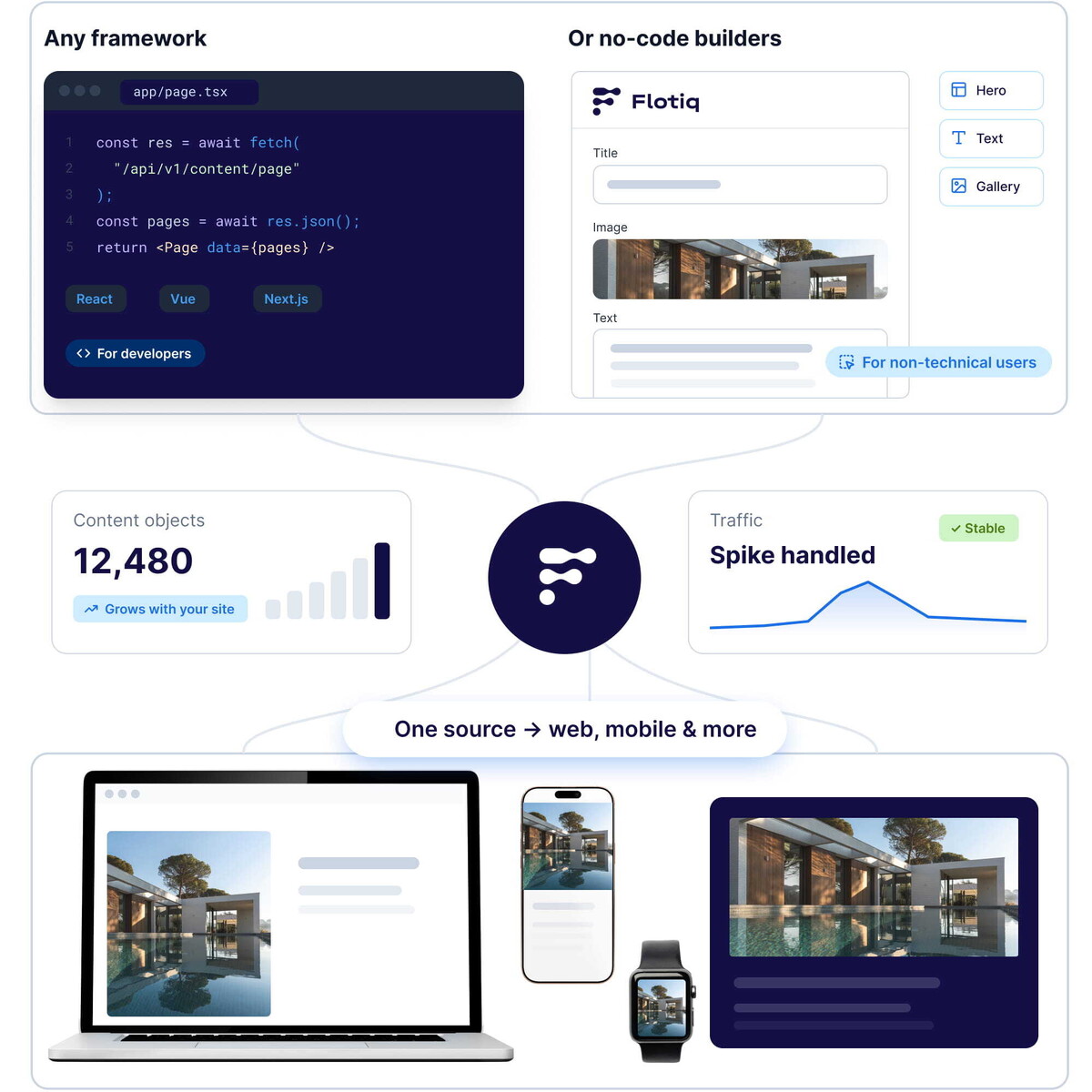
Astro builds fast, content-focused websites. Flotiq handles the content: you design your own content types, and Flotiq generates the API, documentation and SDKs for them. Editors work in the Flotiq dashboard, and your Astro project reads the content through the API. Astro's documentation includes a step-by-step Flotiq integration guide.
Why use Flotiq with Astro
 Typed contentInstall @flotiq/flotiq-api-sdk and generate TypeScript types from your content types, so your Astro components know the shape of your data.
- Static or on-demand renderingFetch content in getStaticPaths for static builds, or fetch a single object by slug for on-demand rendering. The same API works for both.
- REST, GraphQL and OpenAPIQuery content with the REST or GraphQL API, or generate a client for another language from your OpenAPI schema.
- Rebuild on publishAdd a webhook that calls your hosting platform's build hook, for example on Netlify, so the site rebuilds when content changes.
- Editorial workflowDraft & Public versions and scheduled publishing let editors prepare changes before they go live.
- ImagesStore images in the media library and request resized versions through image transformations.
Fetch Flotiq content in an Astro page
Install the SDK with npm install @flotiq/flotiq-api-sdk, add your read-only API key to .env as FLOTIQ_API_KEY, and generate a static page for every blog post. This example is tested with Astro 5 and @flotiq/flotiq-api-sdk 1.1.
What you can build with Astro and Flotiq
Astro renders the pages, Flotiq stores and serves the content. Common combinations:

Company and marketing websites
Pages built from content types your marketing team edits, rendered as static HTML by Astro.

Blogs and content hubs
Posts, authors and categories as related content types, listed and paginated in Astro.

Documentation and knowledge bases
Structured articles with search through the Flotiq full-text search API.

Multilingual websites
Translations managed in Flotiq with the Multilingual plugin, rendered per language with Astro's i18n routing.
Astro and Flotiq: FAQ
Build your Astro site with Flotiq today
Create a free account, define your content types and connect your Astro project with the SDK.

 Flotiq. All Right Reserved 2026


