It all starts with something simple: you define your own content types – the ones you actually need. Flotiq automatically turns them into ready-to-use API endpoints, generates documentation, SDKs, and API collections. In “content terms”: developers have less backend work, and you get working tools much faster instead of waiting weeks for implementation.
Because of that, Flotiq is convenient not only for devs, but also for content creators, UX designers, and entire project teams. On one hand, it’s simple to use, and on the other, it gives you a lot of flexibility to adapt it to a specific project.
My Story with Flotiq
My name is Justyna Winarska and I work on the Flotiq team as a Junior Content Specialist. Marketing and everything around it has been present in my life for years, but until recently I never had real, hands-on experience with any CMS. Not even with something as popular as WordPress.
When I joined the Flotiq marketing team, I was immediately handed a big challenge. Not only did I have to properly understand the product I was supposed to promote, but most of my daily work was going to rely heavily on using Flotiq itself. I was terrified! At the beginning I was thrown straight into the deep end and I wasn’t sure I’d be able to handle it. My start overlapped with my new manager’s two-week vacation, so I felt even more pressure to prove I could be relied on and give even more of myself.
It quickly turned out, though, that Flotiq became one of my favorite tools in everyday work. It only took a few days from starting completely from scratch to feeling comfortable navigating the whole system, building subpages, planning content, and adjusting content layouts so they were more readable, intuitive, and understandable for the audience.
First Login: How the Panel Looks Through a Content Person’s Eyes
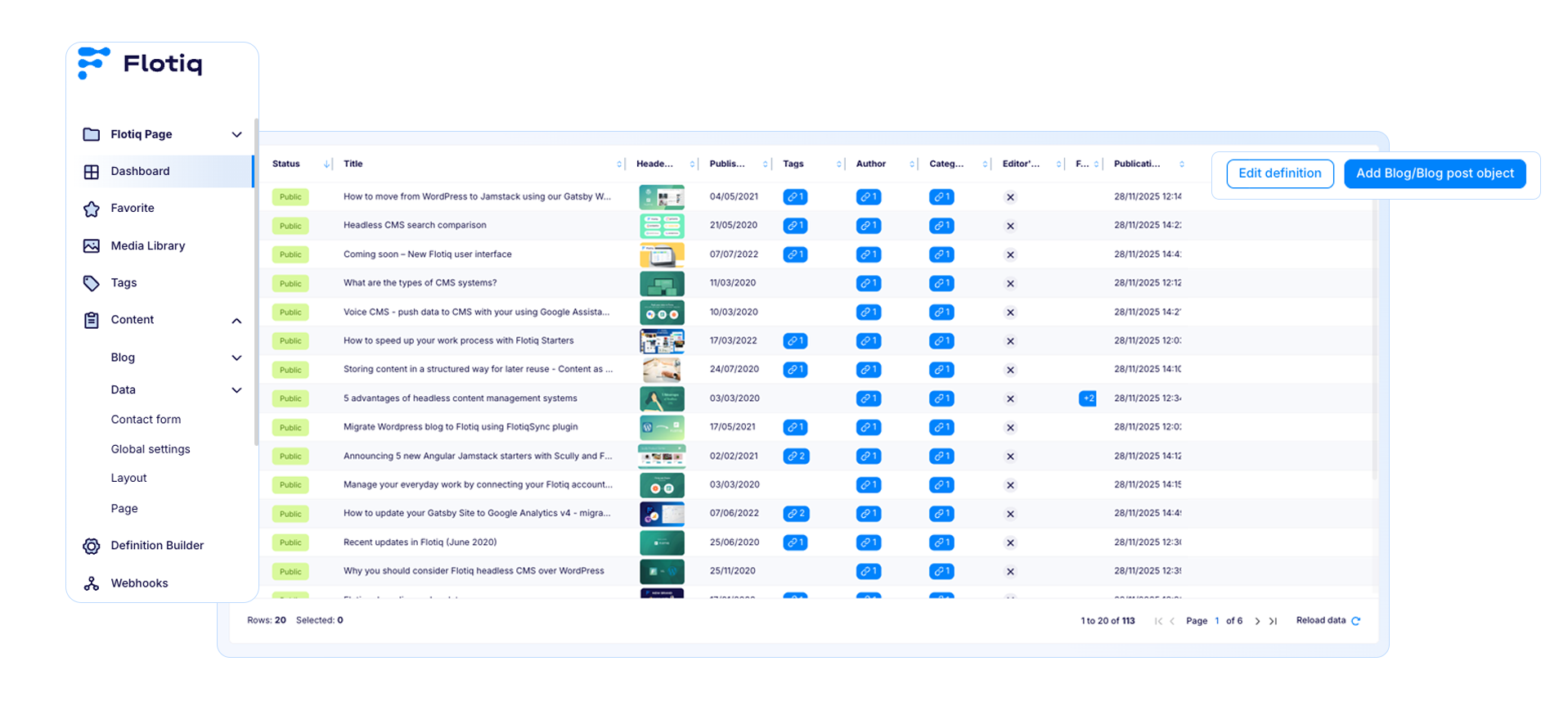
Before logging into Flotiq for the first time, I was expecting a wall of incomprehensible options, tabs meant only for developers, and a million technical settings. Instead… I saw a panel that, from my perspective, is simply logical.
On the left side there’s a clear menu, without weird abbreviations you need to Google. I quickly noticed the Content section – all the content types I work with every day: blog posts, case studies, page sections, landing page elements. Instead of wondering “where do I add this?”, I just pick from a list what I want to create or edit.
Justyna Winarska
I’m a content creator who loves turning complex topics into clear, engaging stories. Marketing has been a part of my life for years, but what truly drives me is curiosity, learning new things fast, and proving to myself that I can handle challenges that feel bigger than me at first glance.
I enjoy organizing chaos, bringing structure to ideas, and creating content that feels intuitive and useful for the audience.
I’m driven, empathetic, and a big believer that you don’t need decades of experience to do great things, you just need willingness to learn, ask questions, and take ownership.
When I’m not writing, I’m learning something new, exploring marketing trends, or refining whatever I can to make it better than it was yesterday.
My First Encounter with Flotiq from a Content Creator’s Perspective
2 Dec 2025
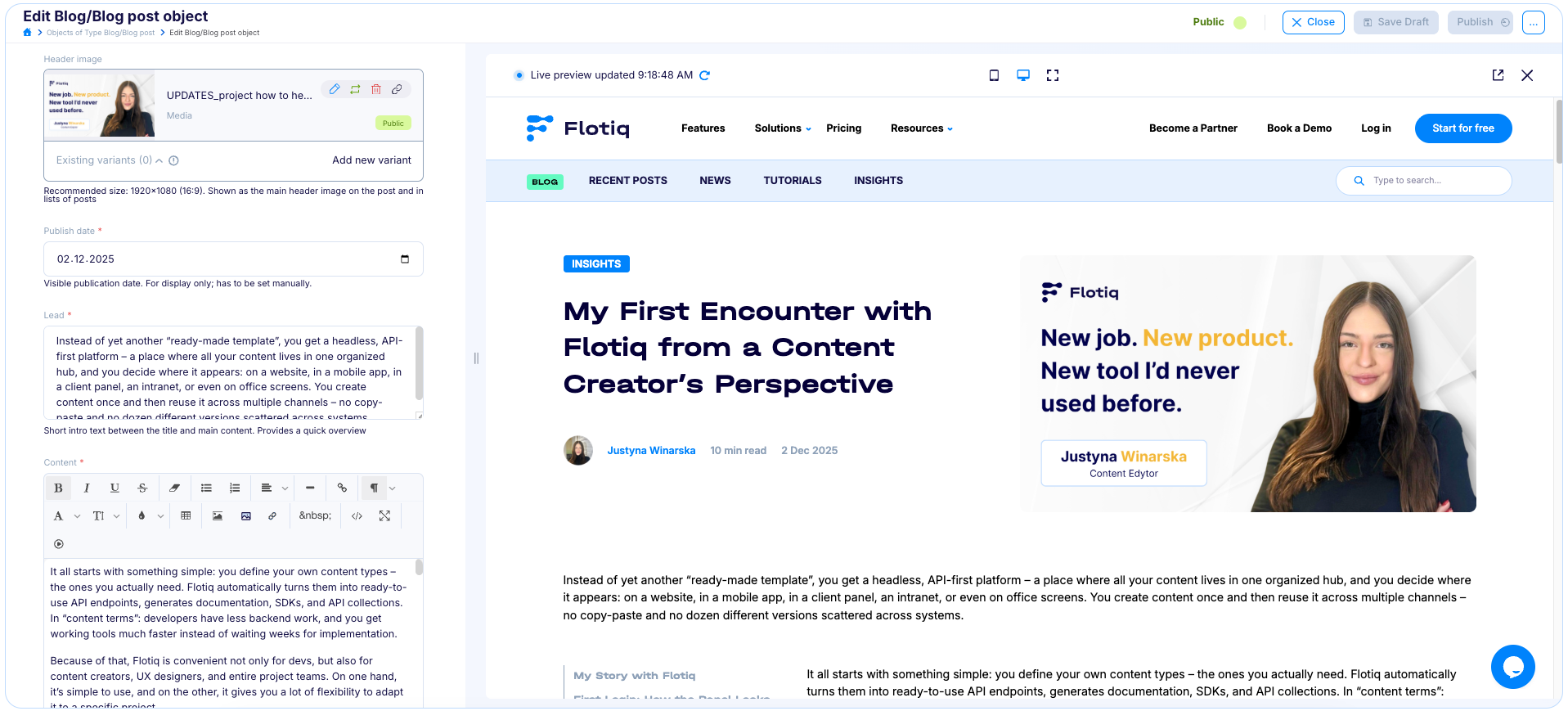
Instead of yet another “ready-made template”, you get a headless, API-first platform – a place where all your content lives in one organized hub, and you decide where it appears: on a website, in a mobile app, in a client panel, an intranet, or even on office screens. You create content once and then reuse it across multiple channels – no copy-paste and no dozen different versions scattered across systems.
The list of entries looks a bit like a well-organized spreadsheet – but one you don’t have to be afraid of. I can see titles, dates, statuses, I can filter and search by specific phrases. Flotiq doesn’t bury me in technical details I don’t need as a content creator. Front and center are the things that matter most to me: content, its structure, and order.
A big plus for me was that I immediately saw clear buttons like “Add page object”, so I didn’t have to guess where to click to add a new article or page section. My first impression? This is not a panel “just for devs”. It’s a space where a content person can find their way around without hours of training.
Flotiq’s Benefits for a Content Creator
For me as a content creator, Flotiq has a few very tangible advantages:
1. No more content chaos Each content type has clearly defined fields: title, lead, main content, SEO Data, CTA, image, tags… I don’t have to fiddle with blocks, copy formatting, or wonder “will this even work properly on the page?”. Someone has thoughtfully laid out the structure once, and I just use it and maybe add a bit of my own flavor.
2. I can focus on what I write, not how to “technically make it work” The panel is simple, logical, and doesn’t overwhelm me with options that only developers need. I log in, pick a content type, fill in the fields, hit save. No unnecessary buttons, no distraction.
3. It’s easier to maintain consistency The same fields repeat in every entry of a given type, so all articles, case studies, or page sections look and “behave” in a similar way. That’s super important, because I don’t have to learn how to operate each one from scratch.
4. No need to call a developer every time I save dev time for real emergencies. Simple changes, text updates, image swaps, or adding a new section I can handle myself. It speeds up the work and gives a very nice sense of ownership.
5. Live Preview This is one of my favourite things about Flotiq. Thanks to the preview option, every time I change something, I can see with one click exactly how the content or element will look on the page. I can adjust it freely and shape the final result exactly the way I need.
6. One piece of content, many places The fact that Flotiq is headless, from a content point of view, means that the same source of truth can power a website, a landing page, an app, or whatever the team comes up with. I take care of content quality, and the “magic” of showing it in different places happens on the dev and API side.
Creating and Editing Content in Practice
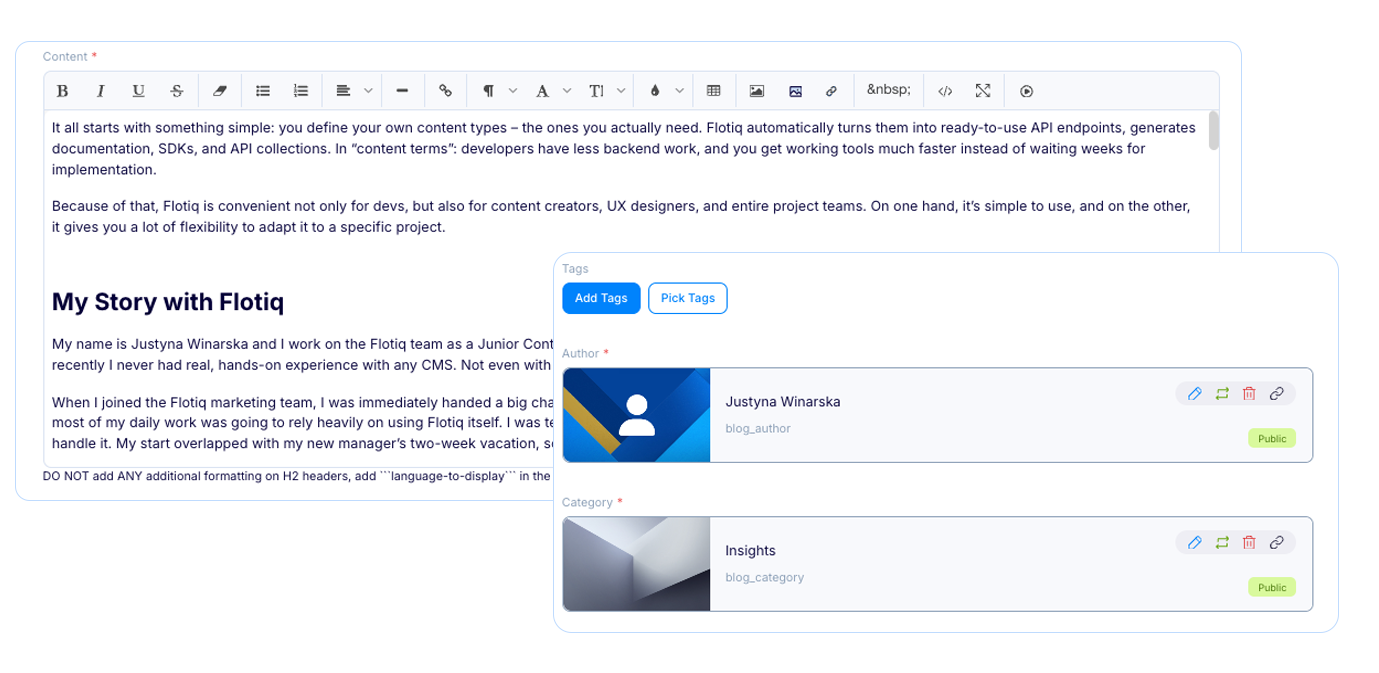
In Flotiq, content creation always starts with choosing a content type. Instead of wondering “where do I add a new article?”, I just click the relevant Content Type, like Blog post or Case study, and get a neatly organized form. Each field has its name and place: title, short description, main content, SEO Data, image, CTA button, tags. Because of that I don’t have to think about how to add something, only what I want to write.
Editing is just as painless: I go back to the list of objects, open the entry I need, fix the text, replace an image, or add a new section, preview the changes, hit save and publish. I’m not worried I’ll “break the page”, because the structure is predefined and I move through fields like in a well-designed form. If needed, I can copy an existing object and use it as a base for a new one – which works great for similar landings or recurring article formats.
From my perspective, the key thing is that the process of creating and editing content is fast, predictable, and doesn’t require technical knowledge. I can calmly focus on the quality of the content, not fighting with the tool.
What Can Be Challenging for a Content Creator at the Beginning
At first, the biggest surprise for me was that… there is no “classic page” to click around. In a headless CMS everything revolves around content structures and APIs, so you have to shift from “I’ll open the page editor and move stuff around” to “I work with objects that will later be displayed in various places.” For someone who only knew the WIX-style “drag and drop” vision, that can sound a bit abstract.
The second challenge is trusting the team and the process. That requires good communication and understanding of how different content types were designed, what fields are key, and what absolutely must not be skipped.
At the beginning, you also need to learn to think more structurally: what fields might be useful in the future, what could come in handy in other channels, how to describe content so it makes sense not only today, but also in six months.
It’s a challenge, but once you get into the rhythm, Flotiq starts to feel like a very well-organized, content-friendly notebook for the entire team.
Practical Tips for Content Creators Starting with Flotiq
1. Start by understanding Flotiq, not just clicking “until it works”
Take a moment to have someone from the team (dev / UX) explain what content types you have in Flotiq and what specific fields are for. It will save you a lot of frustration later and help you write “with the system in mind” from day one.
2. Think about multiple channels, not just one page
Remember that Flotiq is headless. What you’re adding today as a description, lead, or CTA may end up on the homepage, in an app, or in a newsletter tomorrow. Try to write in a way that still makes sense when taken out of the context of a single subpage.
3. Establish naming and tagging rules
Together with your team, set simple rules for naming objects, tagging content, and describing campaigns. It’s a bit boring at the beginning, but it saves your life later when you’re trying to find one particular landing among dozens of similar ones.
4. Don’t be afraid to “break things”
Click, try things out, experiment. A few hours of safe play will give you more confidence than a week of reading documentation. Until you click publish, everything is a draft visible only to you. Even if you make more than one mistake, don't panic because you can go back many versions.
5. Find a dev “buddy”
Seriously, having one friendly API-nerd in the team is gold. Someone you can send a screenshot to and ask: “Is this the field you were talking about?”, “Am I right that this text will appear here and here?”. Flotiq is content-friendly, but working closely with devs is what turns it into a truly powerful tool.
If I had to sum it up in one sentence: you don’t have to be “technical” to work well in Flotiq. A bit of curiosity, willingness to understand content structures, and good communication with the team is enough.
Also you can always join our Discord Channelwhere you can ask us for help or give us any question. We have a special space just for content editors.
Summary
Your first encounter with Flotiq as a content creator may sound like a jump into the deep end – especially if, up to now, your maximum “technicality” was a visual editor in a traditional WebBuilders. For me, it also started with fear and the feeling that this tool was “for people much more advanced than me”. Very quickly, however, it turned out that with good structure, well-designed content types, and team support, Flotiq stops being a “magic dev system” and starts being an ally in your everyday content work.
From all the time I’ve spent in the Flotiq panel, I’ve taken away one important lesson: a headless CMS doesn’t have to be complicated for a content person. It can actually make your work easier by organizing data, keeping things consistent, and giving you space to focus on what matters most: clear, thoughtful communication with your audience. You just need to give yourself a moment to shift your perspective and learn to look at content in a more structured way.
So if you’re a content creator and you’re thinking “this probably isn’t for me”, treat this text as a sign that it might actually be. Flotiq can be tamed, even if you’re starting from zero. And once you “settle in”, there’s a good chance it will quickly land on your list of favorite work tools.
And the best way to find out? Create an account, play with content types, talk to your dev team, and… give yourself room to make mistakes. Start creating today!


.png)





.png)