Flotiq Updates



At Flotiq, we’re always looking for ways to make content editing smoother. These new fields are another step towards empowering teams to manage data without unnecessary complexity.
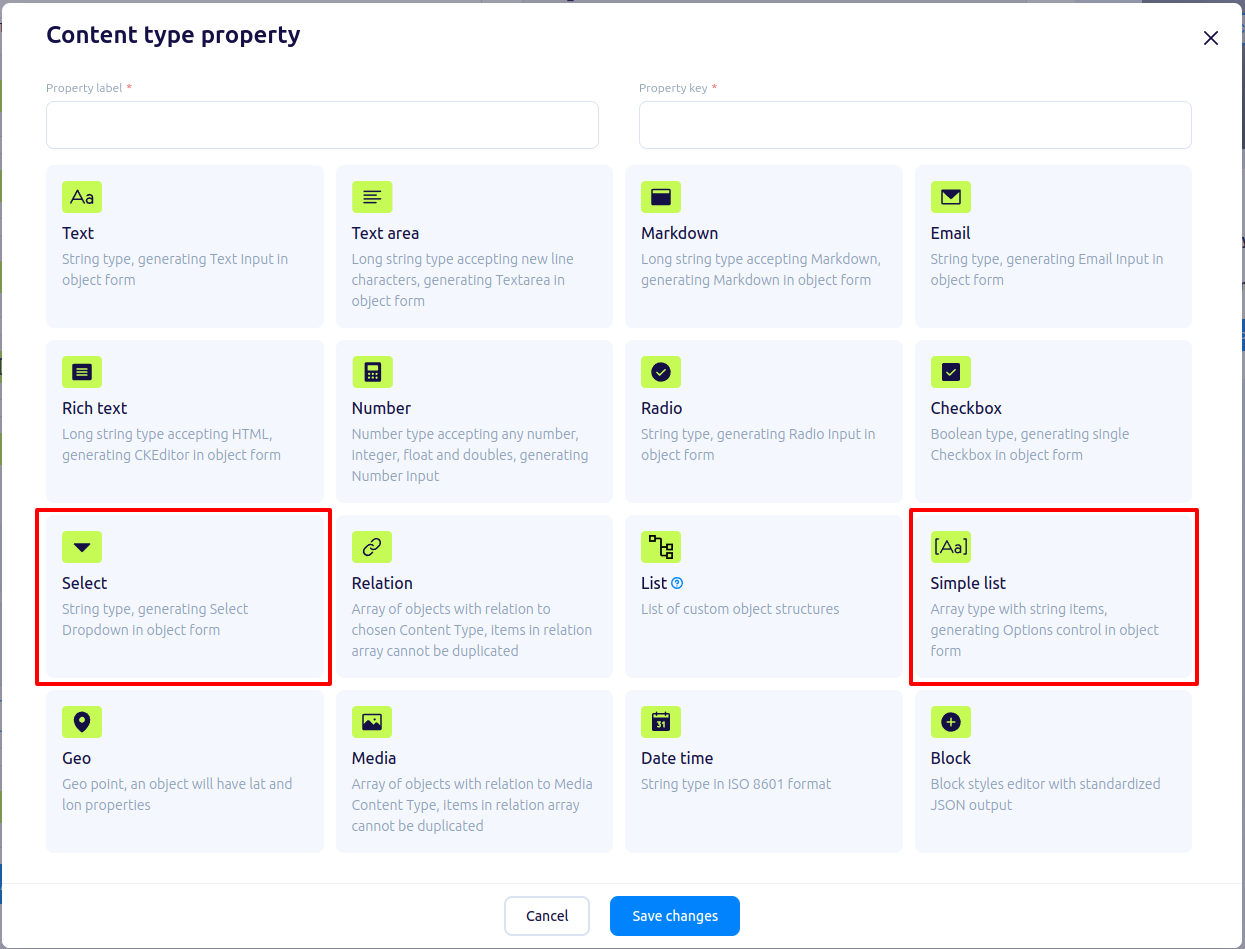
Content type property select view with Select and Simple List
Multi-Select Fields
The multi-select field allows users to select one or more items from a pre-defined set of options, such as company names, business roles, or industries. This ensures consistency and simplifies data entry.
- Data Structure: Array of strings, with validation against the selected set of options.
- Use Cases: Storing multiple company names, industries, roles, or other categorized data.
Key Features:
- Validation ensures that only valid options are selected.
- Streamlined management of frequently used datasets.
Simple Lists
The simple list field allows you to store a sequence of strings with optional validation. Customize the content by adding, editing, or reordering items.
- Data Structure: Array of strings, with optional validation via regex patterns.
- Use Cases: Managing ordered or editable lists, such as a list of industries, business roles, or product names.
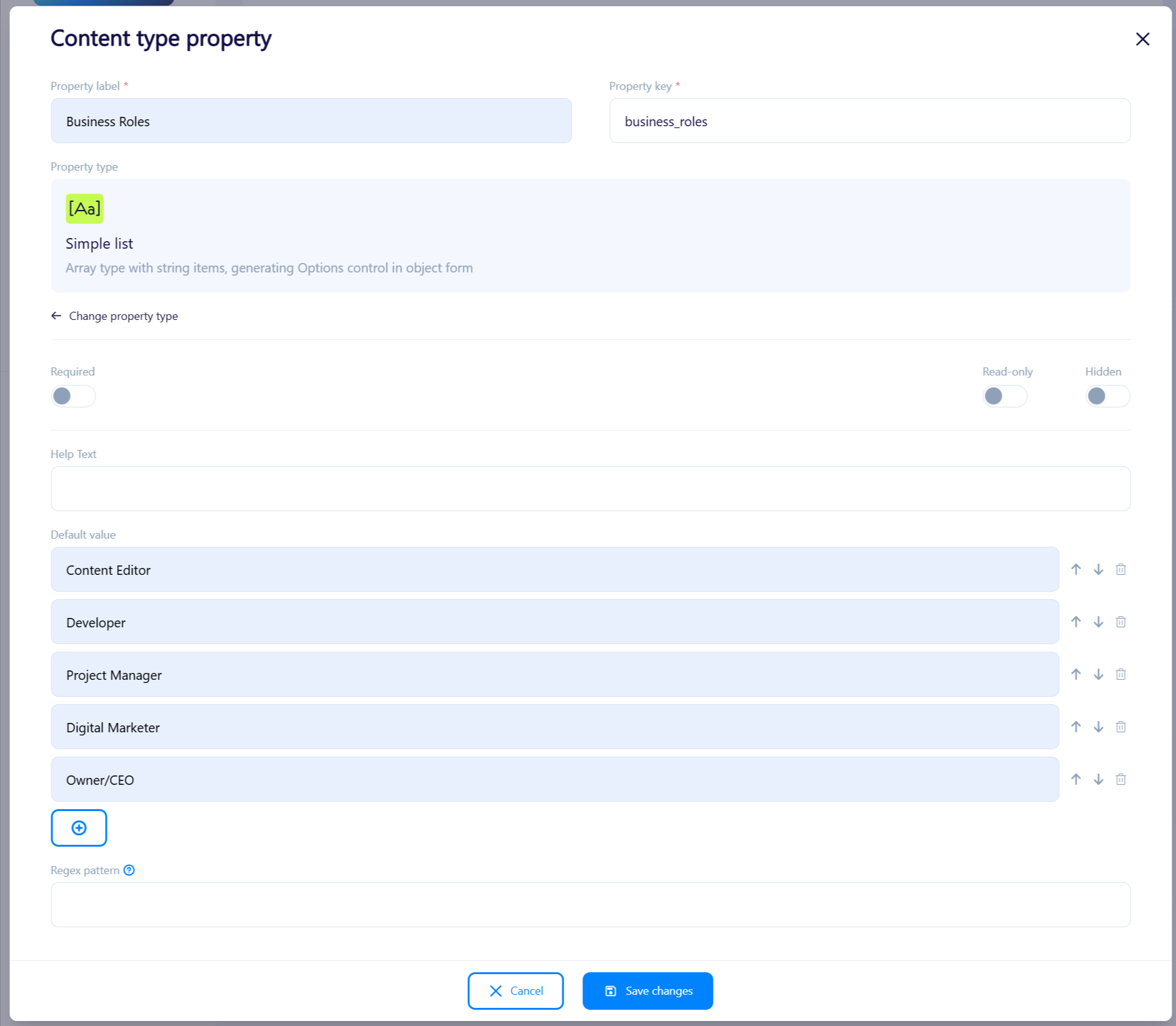
Simple List property editor view
Key Features:
- Flexible editing and ordering of list items.
- Optional regex validation for precise content control.
Feature Highlights
- Flexible Nesting: Both new field types can be used at any level of nesting within an object.
- Enhanced Data Customization: Easily store lists of company names, roles, or any other structured information.
- Simplified User Interface: Intuitive settings and visual displays ensure seamless implementation.
- Simplified API: You don’t have to use whole list nesting to store multiple strings
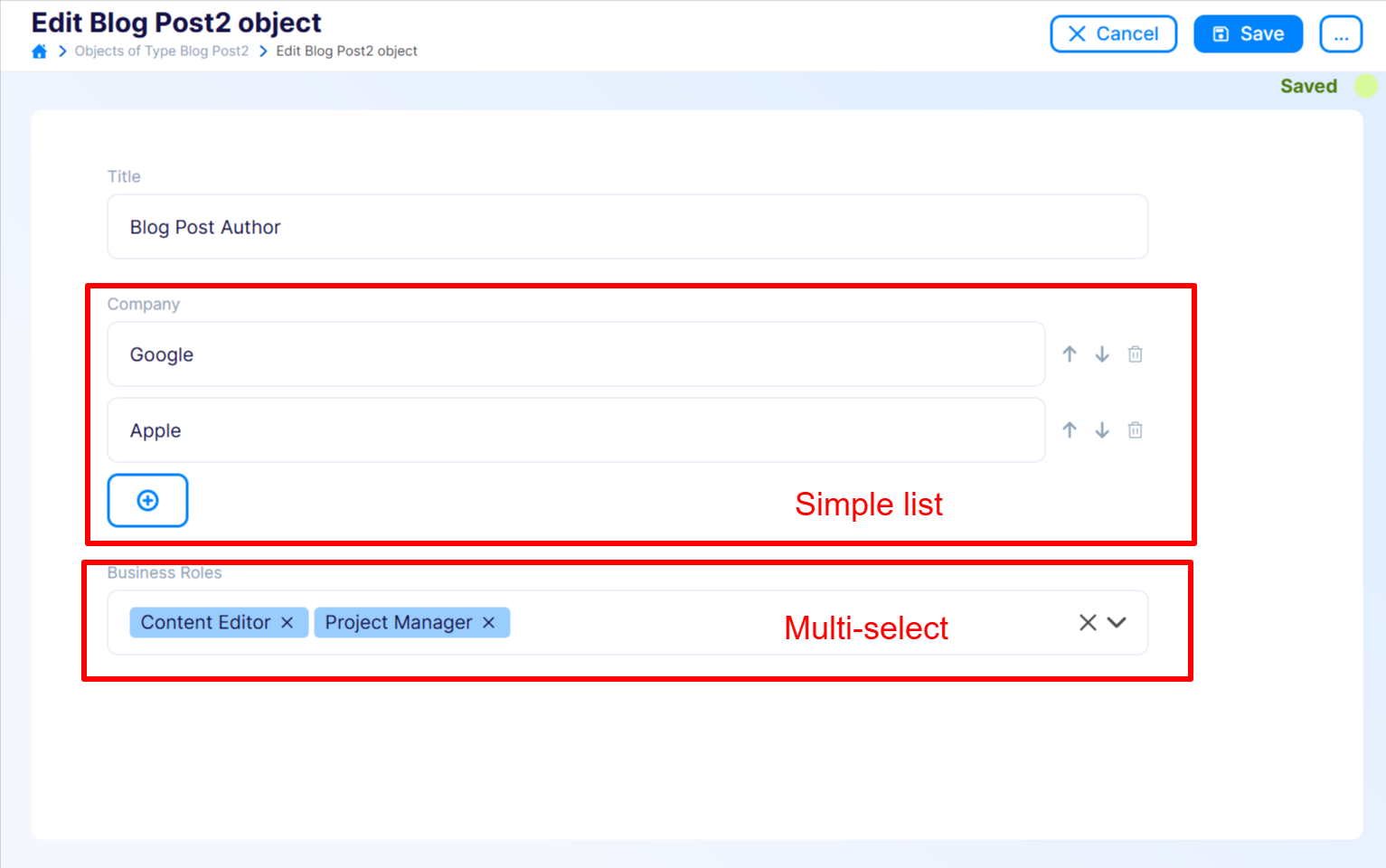
Content Object with Simple List and Multi-Select
Explore these new data storage options to organize and standardize your information better!



.png)