Flotiq Use Case


Why Multilingual Matters
For global businesses, multilingual content is not just a nice-to-have - it’s essential. Whether you’re running an international e-commerce store, publishing content for diverse audiences, or managing a knowledge base in multiple languages, you need a way to manage content in multiple languages.
Originally, multilingual content in Flotiq had to be managed manually. Our early blog post, Multilingual Content in Flotiq Headless CMS described how teams had to set up structures themselves. It worked… but let’s be honest, it felt a bit like assembling IKEA furniture without the manual. Now, things are much easier.
The new multilingual plugin is designed for teams who want to scale content globally without scaling complexity. Whether you rely on DeepL’s automation or prefer manual input, you now have a flexible, powerful tool to make multilingual content management effortless - and maybe even fun.

DeepL: From Standalone Plugin to Seamless Integration
DeepL has long been one of the most powerful translation engines available. Previously, we introduced it as a separate plugin, as described in Breaking Language Barriers: Multilingual Content with Flotiq’s Plugins and DeepL.
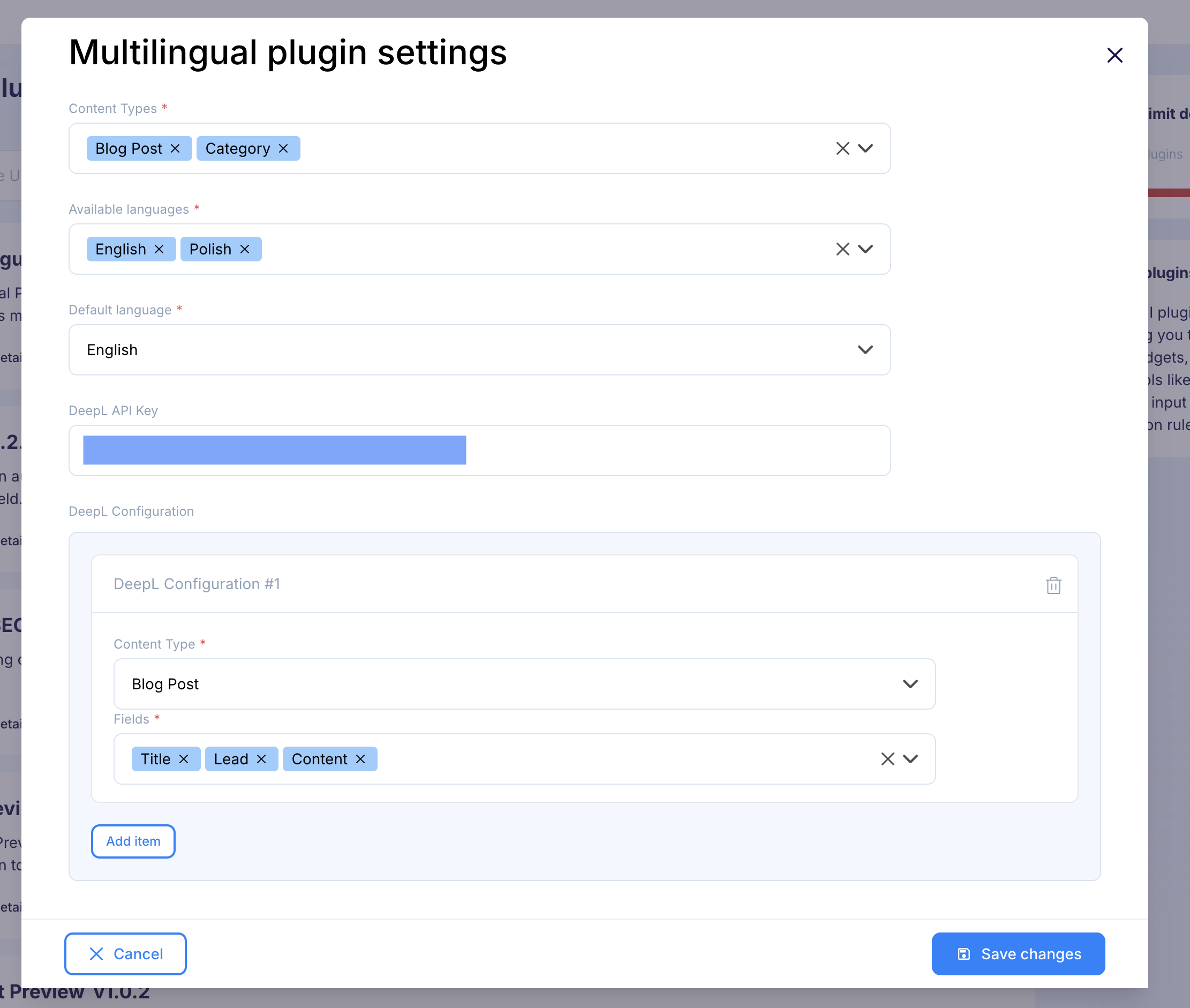
But maintaining two separate plugins wasn’t ideal. It was a bit like carrying two phones - sure, you can do it, but eventually one ends up forgotten in a drawer. That’s why we’ve merged DeepL directly into the Multilingual plugin. Now, you can configure everything in one place:
- Select supported languages.
- Choose your default language.
- Add your DeepL configuration.
- Define which fields should be automatically translated.
If you don’t add DeepL credentials, the plugin still works perfectly as a multilingual editor - allowing you to manually input content in different languages. Think of it as “manual mode” for those who like to flex their language skills.
Example configuration for multilingual and DeepL:
What’s New in the Latest Version
The latest release of the Multilingual plugin brings a lot of improvements to usability and workflow:
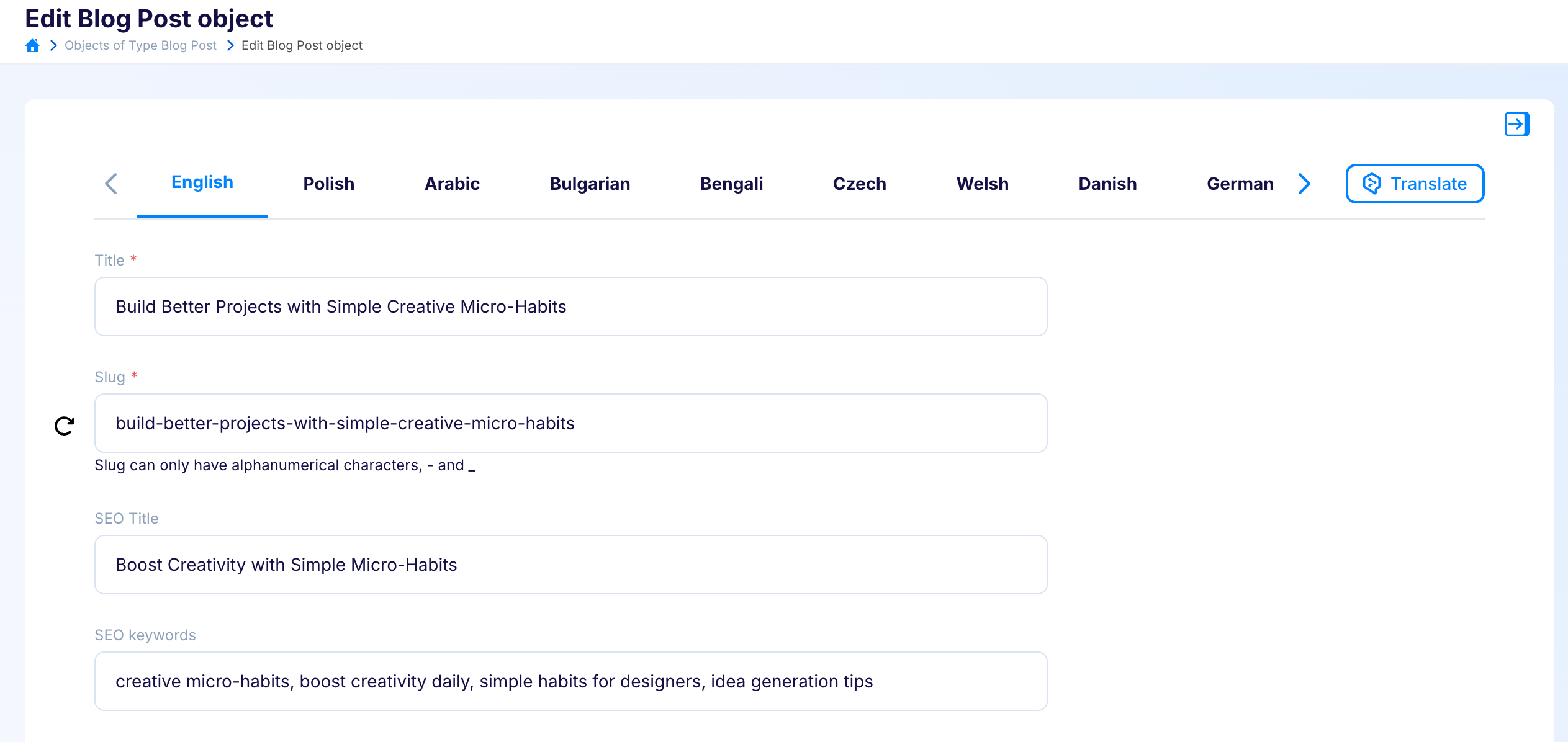
- Pinned language tabs: Tabs are now fixed at the top of the page, making it easier to switch between languages without scrolling.
- Navigation arrows: Added to the language bar, these allow quick navigation when many languages are configured.
- Language memory: After saving an object, the form now remembers the last language you were editing, instead of reverting to the default.
- Relation modal improvements: Relation management modals open in the language of the main form, rather than defaulting to the primary language.
- Improved DeepL button placement: The translation button is now positioned next to the language bar, always visible and accessible.
- Relation synchronization: A new button enables synchronization of relations between the default language and other languages. Future updates will extend this functionality to additional fields.
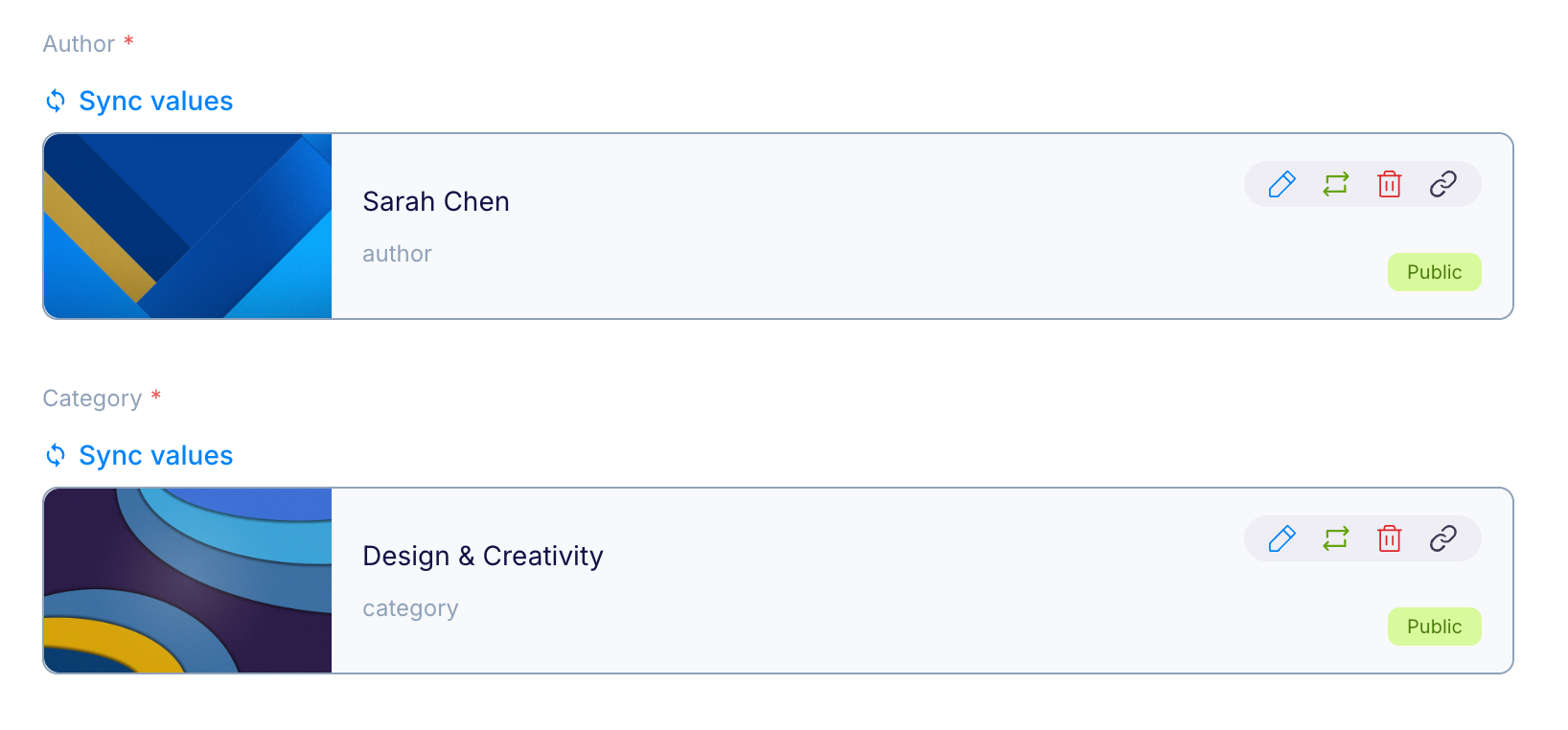
Together, these changes make multilingual editing more efficient, consistent, and user-friendly.
Here’s an example of an advanced configuration and how well the plugin performs:
One Plugin to Rule Them All
With DeepL now fully integrated, the Multilingual plugin has become the central hub for managing translations in Flotiq. No more juggling separate tools - everything you need is right where you expect it.
If you’ve been following our journey, you’ll remember the days before the plugin and the standalone DeepL integration. Today, those paths converge into a single, streamlined experience.

👉 If you have any questions or suggestions, feel free to reach out to us and join our community on Discord. We’d love to hear your feedback and ideas!

.png)