What's New? Features
1. Multilingual: Plugin for Displaying Fields in Multiple Languages
What has been done?
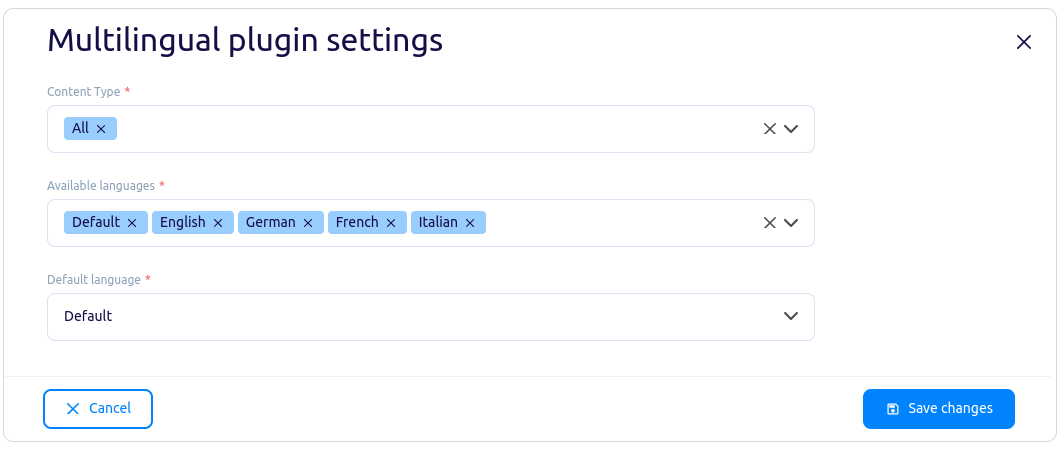
A plugin was created to support adding translation fields to data types and the ability to switch between languages while editing an object. Added the option to set a language named "Default"
What does this mean for the user?
Users can easily store data in multiple languages within the same object.
Users can choose which data types should be translated.
Users can select the languages to be used for translations.
Field names are consistent across all languages.
Language codes are standardized.
Developers have all translations in one place.
2. Singleton Plugin
What has been done?
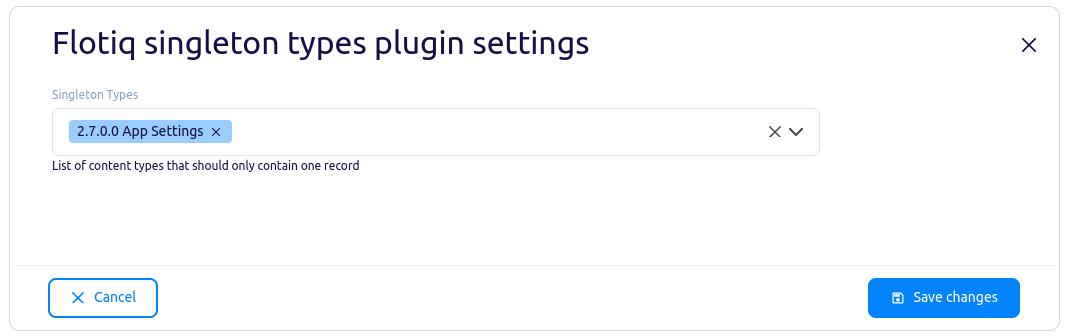
A plugin was created to designate data types that should only have a single object.
What does this mean for the user?
Content editors can skip listing types that will never contain more than one object.
Developers can ensure that all types intended to have only one object are correctly enforced.
Documentation
3. New SDK Package for JS and TS
What has been done?
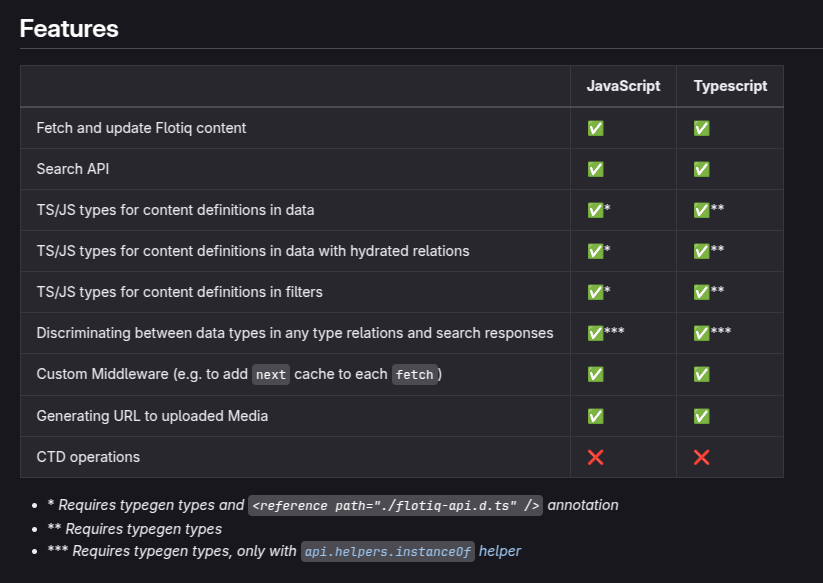
A generator for JS/TS project classes based on user-defined types.
A type generator for search engine responses.
What does this mean for the user?
Ability to fetch non-hydrated objects.
Full syntax suggestions for hydrated and non-hydrated objects.
Auto-suggestions for filters and listing parameters.
Typed search engine responses.
A smaller package than the one generated by open-api-generator, with fewer files committed to the repository.
4. Google Search Console Plugin Expansion
What has been done?
Improved UI. Added a "Request Indexing" button.
What does this mean for the user?
Ability to manage indexing more efficiently.
A more user-friendly plugin experience.
5. Featured Image Display Plugin for Object Editing
What has been done?
Created a plugin to display the featured image in the object editing form.
What does this mean for the user?
Users can see a sample image of how the object will look after saving it.
Fixed and Improved
Added hydration capability in the search engine
Added documentation update for the new SDK
Added documentation for the SurferSEO Plugin
Added saving files when pasting them into a rich text field
Improved the speed of relationship searches when fetching objects
Improved email regex to the latest standard
Improved view for nested lists in content object editing
Improved UX by moving "help text" field under "options" field
Fixed display of space names and content types
Restored SVG resizing
Join us on Discord!
We’d love to hear from you! Our Discord server is open to everyone – whether you’re using Flotiq or just exploring. Jump in to connect with our team, get real-time support, and chat with other users. For technical deep-dives, check out our documentation and visit our FAQ for quick answers to common questions. Thank you for being part of Flotiq. Your feedback drives our growth and helps us make the platform even better with every update.
Latest changes
 Flotiq. All Right Reserved 2026


