Generating slugs
Flotiq can automatically generate URL-friendly slug values for your
Content Objects
based on another field in the same object. For example, a blog post titled
"Blog title" can automatically receive a slug blog-title.
Slug generation is configured per Content Type Definition by defining one or more slug rules. Each rule maps a source field (used as input) to a target field (where the generated slug is written).
Hint
If you previously used the Slug plugin, this feature replaces it. Slug generation is now built into Flotiq core — no plugin installation is required. Existing plugin configurations are migrated automatically.
Hint
This page describes configuring slug generation in the Dashboard. If you want to configure slug rules through the API, head to the slugs property.
Enabling slug generation
In the Content Type Definition form, enable the Generate Slug switch, located next to the Draft & Public mode switch.
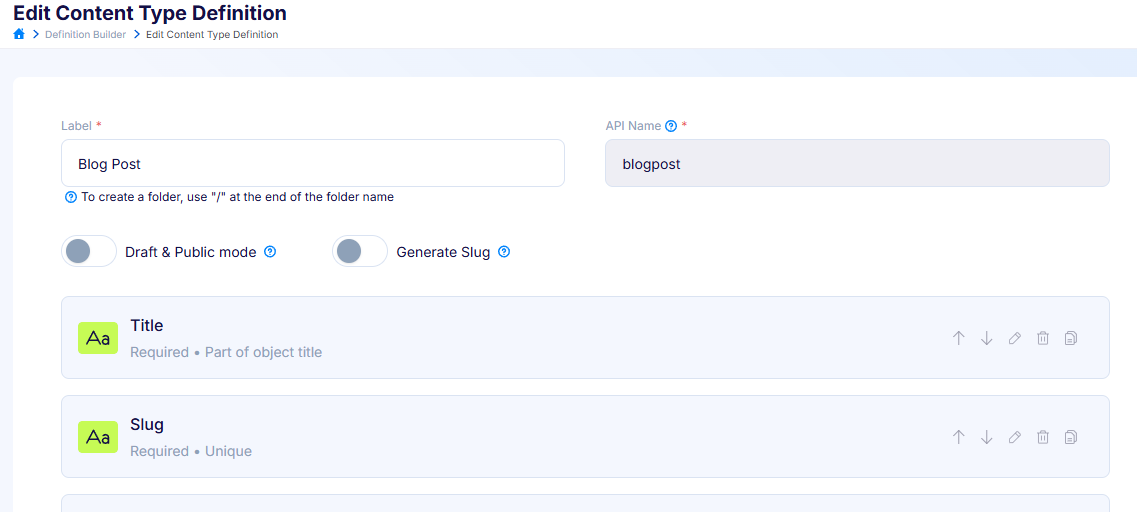
Enabling the switch opens the Slug settings modal, where you configure the rules.
Configuring slug rules
In the Slug settings modal, each rule has the following controls:
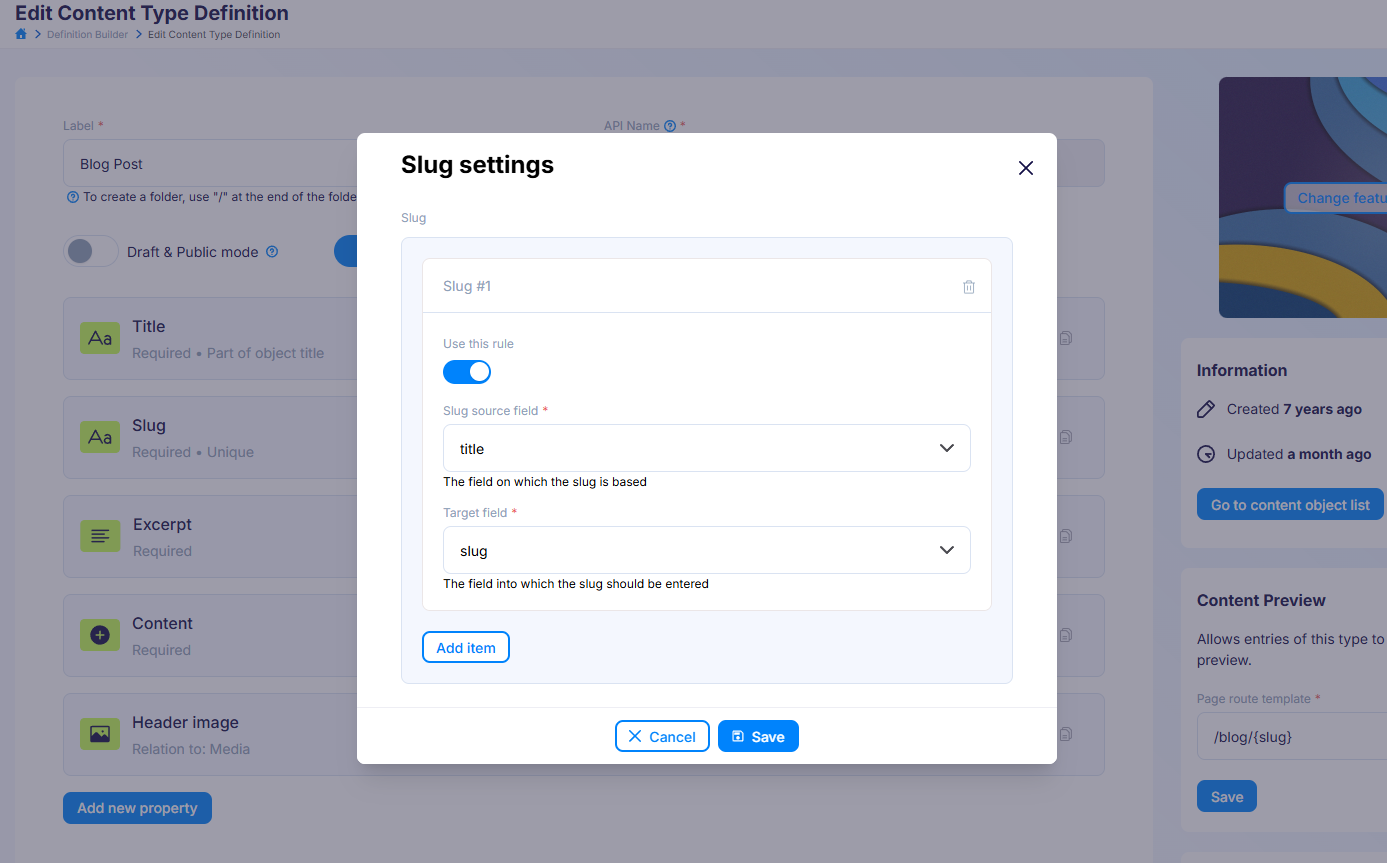
- Use this rule - toggles whether the rule is active. Inactive rules are kept on the definition but are ignored when objects are created or updated.
- Slug source field - the field whose value will be slugified (e.g.
title). This is the field on which the slug is based. - Target field - the field where the generated slug will be written (e.g.
slug). This is the field into which the slug is entered.
Click Add item to define additional rules, or the trash icon to remove a rule. When you are done, click Save to close the modal, then save the Content Type Definition as usual.
Note
Both the source and target fields must already exist in the Content Type Definition. For an active rule, if either field is missing, saving the definition will fail with a validation error. The source and target should also be two different fields.
How slug generation works
Once a slug rule is active, the target field is autofilled in the Content Object form.
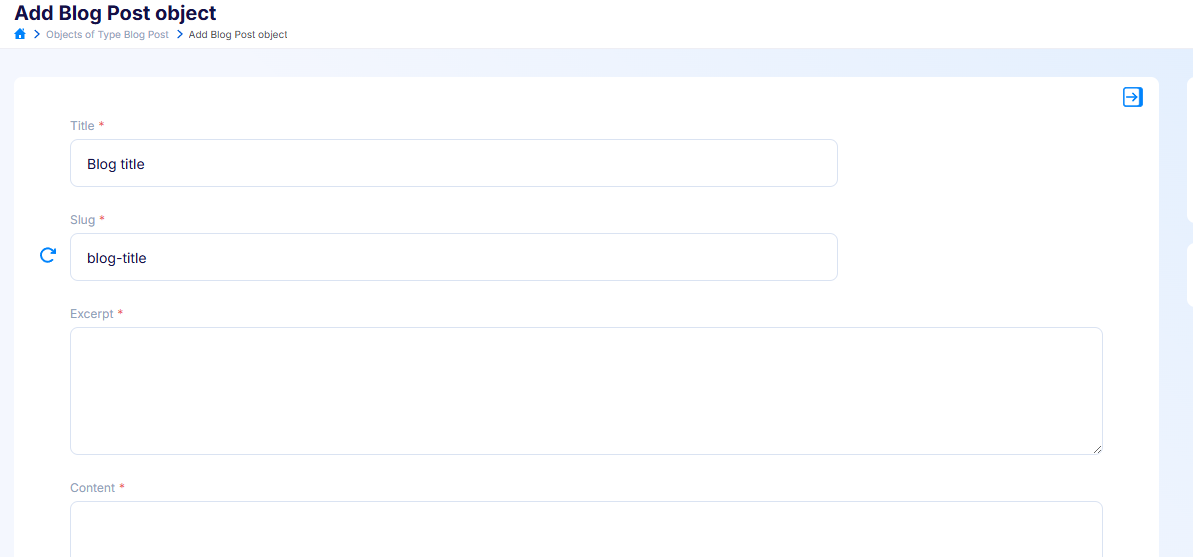
A refresh button appears next to every field that is used as a target in an active slug rule. Its behaviour is:
- When you create a new object and the target field is empty, the slug is generated automatically from the source field as you fill in the form.
- If the target field already contains a value (for example when editing an existing object), click the refresh button to regenerate the slug from the current source value.
- You can always edit the generated slug manually — typing into the field overrides the generated value.
Note
The same behaviour applies when creating objects through the API. If the target field is omitted from the request, Flotiq generates it from the source field; if you send the target field explicitly, your value is preserved. See auto-generated slug fields for details.