Publication scheduling
Publication scheduling allows content editors to define the exact date, time, and time zone when a specific ContentObject should be published. Similar to features available in platforms like WordPress, where users can schedule posts for future release, this functionality enables precise control over when content goes live. It supports long-term planning, allowing publications to be scheduled days, weeks, or even months in advance. Moreover, scheduled publications can be easily modified or canceled at any time before the content is published, providing flexibility and control over the publishing workflow.
Note
This feature is available only in ContentObject with
enabled Draft & Public Mode
Usage
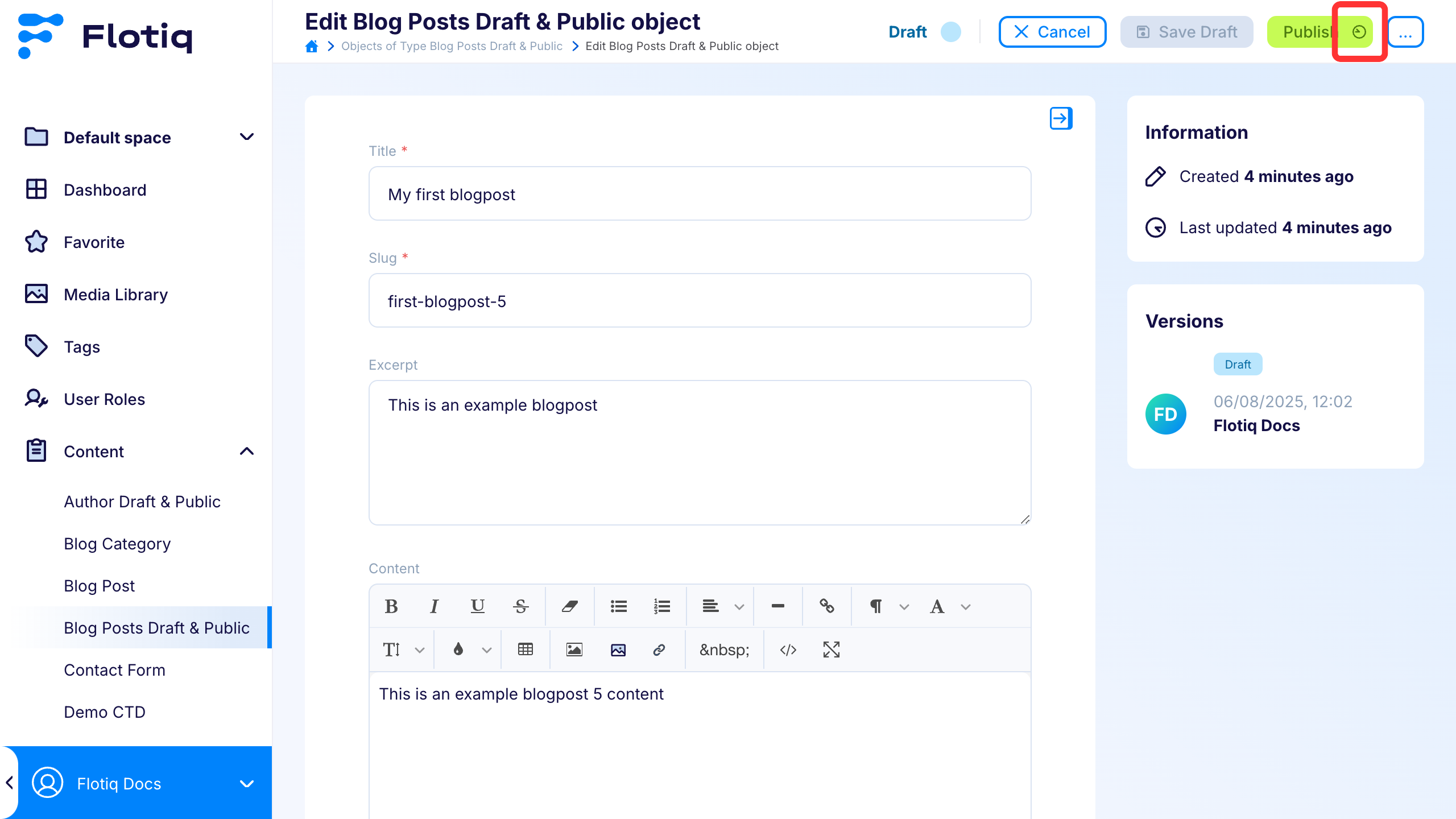
Click the clock icon next to the Publish button to schedule the publication of the current draft or modified version.
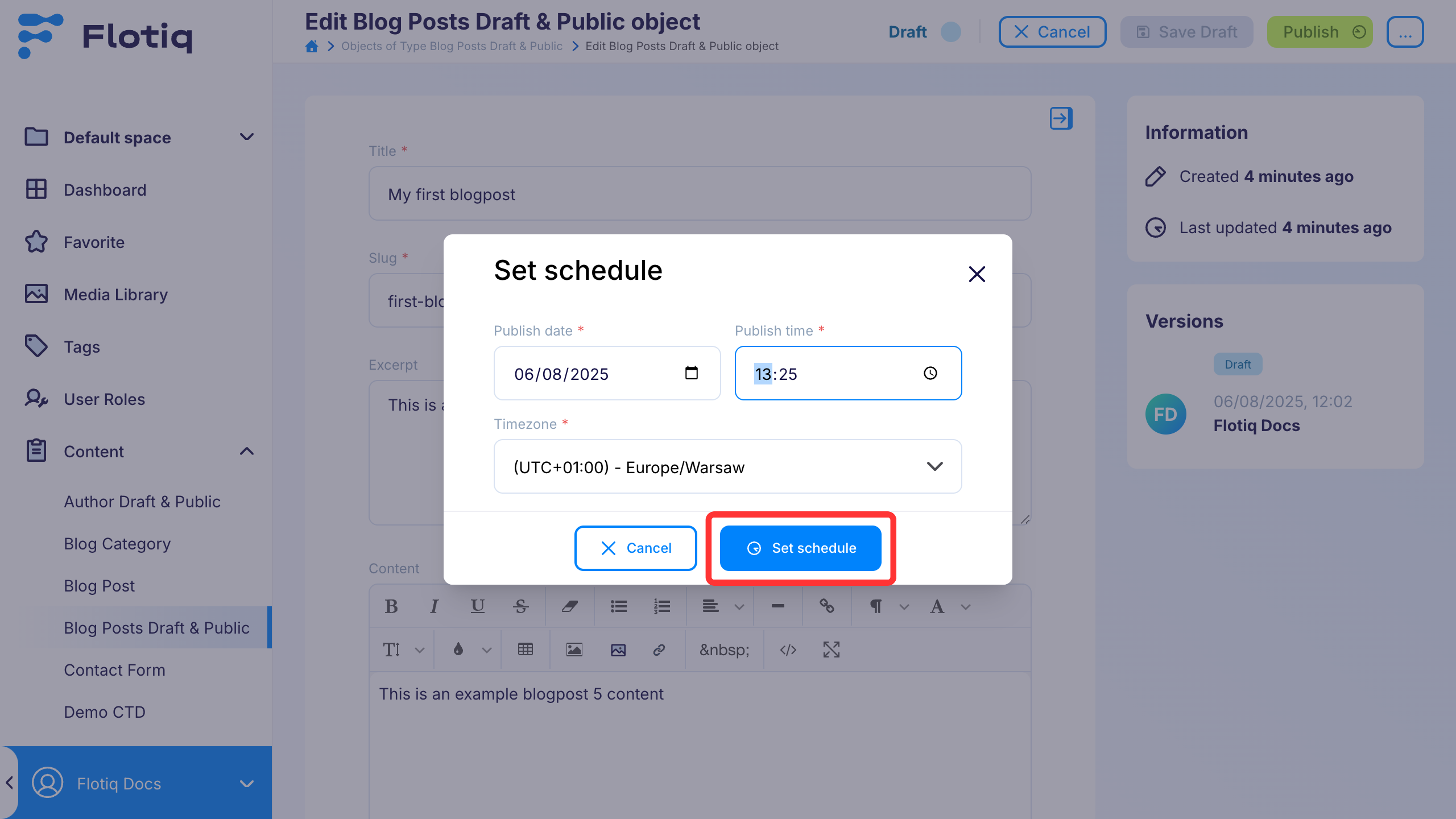
Once you click the button, a modal will appear where you can configure the publication date and time zone.
Note
Please note that the publication must be scheduled more than 5 minutes in advance. Setting it to exactly 5 minutes ahead is not permitted.
Clicking the Set Schedule button creates a scheduled publication for the object.
When the scheduled date and time are reached, the object is automatically published and its status is updated to public.
Status and scheduling
- Scheduling does not add a separate Draft & Public status.
- While waiting for publication, the object remains in its current workflow state (
draftormodified). - If a scheduled object is edited, the schedule is canceled automatically.
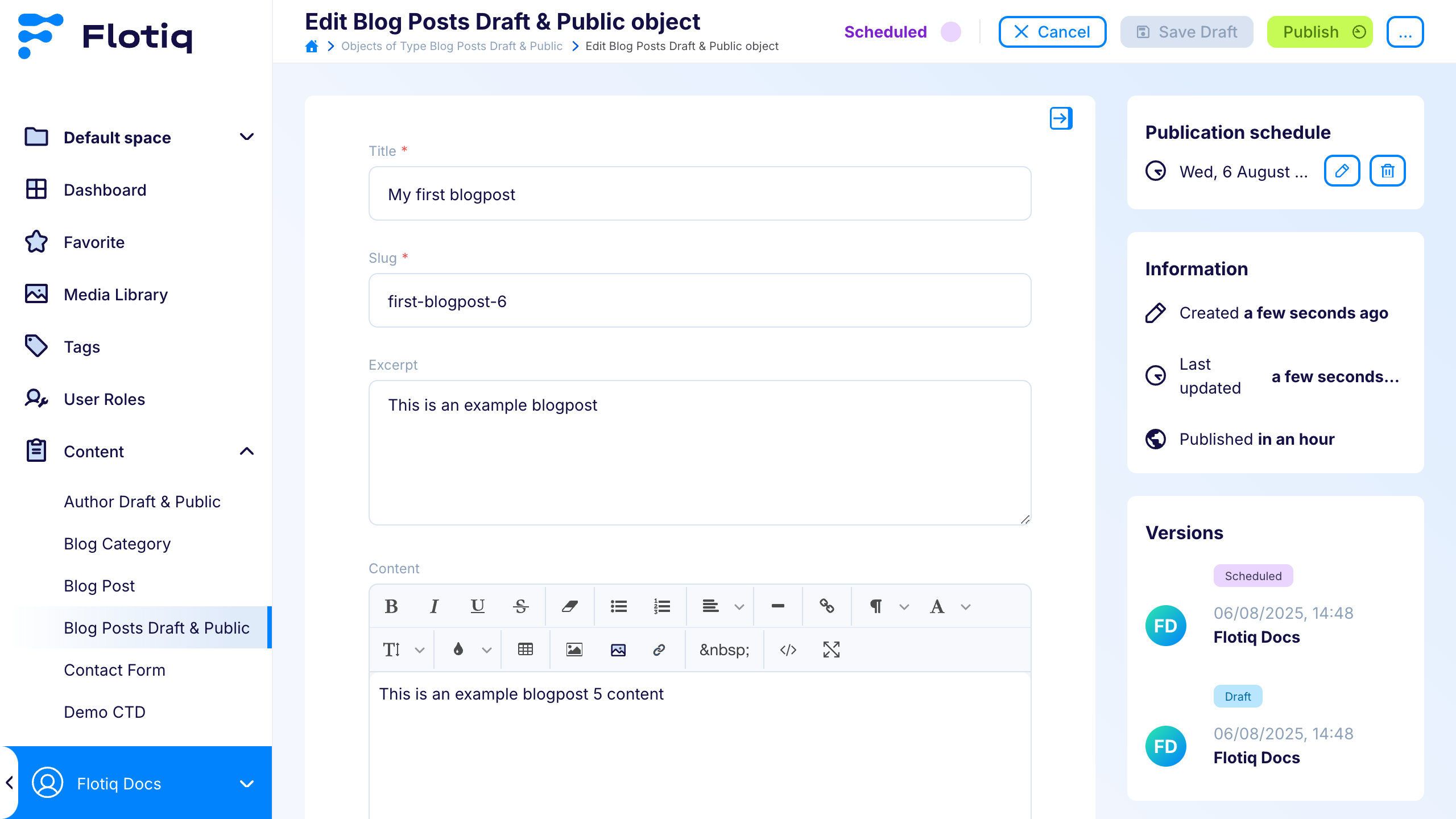
Managing scheduled object
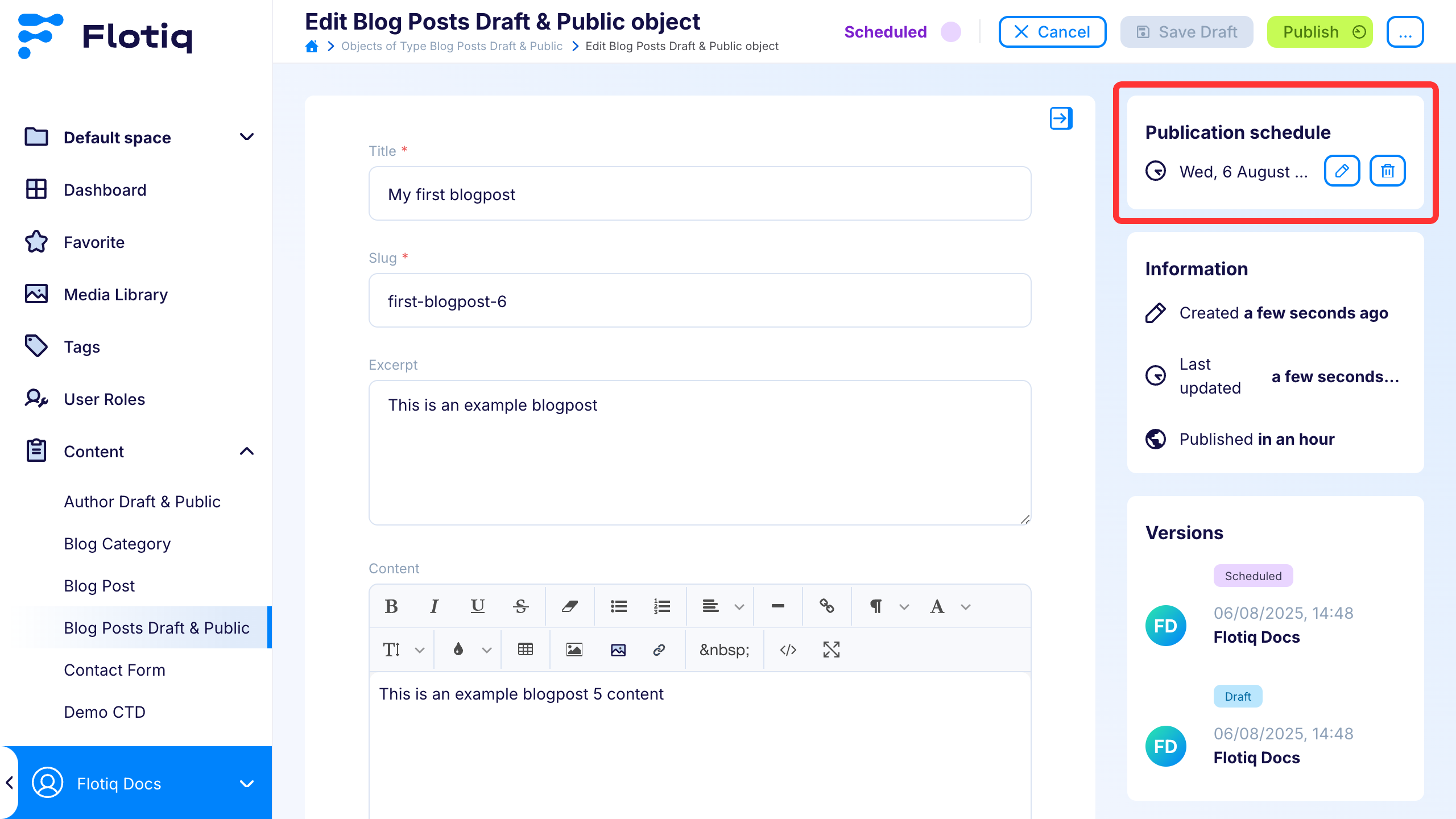
The highlighted section of the UI provides information about the scheduled publication date, along with controls for editing or canceling the schedule. The pencil icon opens the scheduling modal for editing, whereas the trash icon removes the publication schedule and resets the object's state.
Note
Modifying the content of the object in any way will automatically cancel the scheduled publication.
The object then stays in editable workflow state (draft or modified).
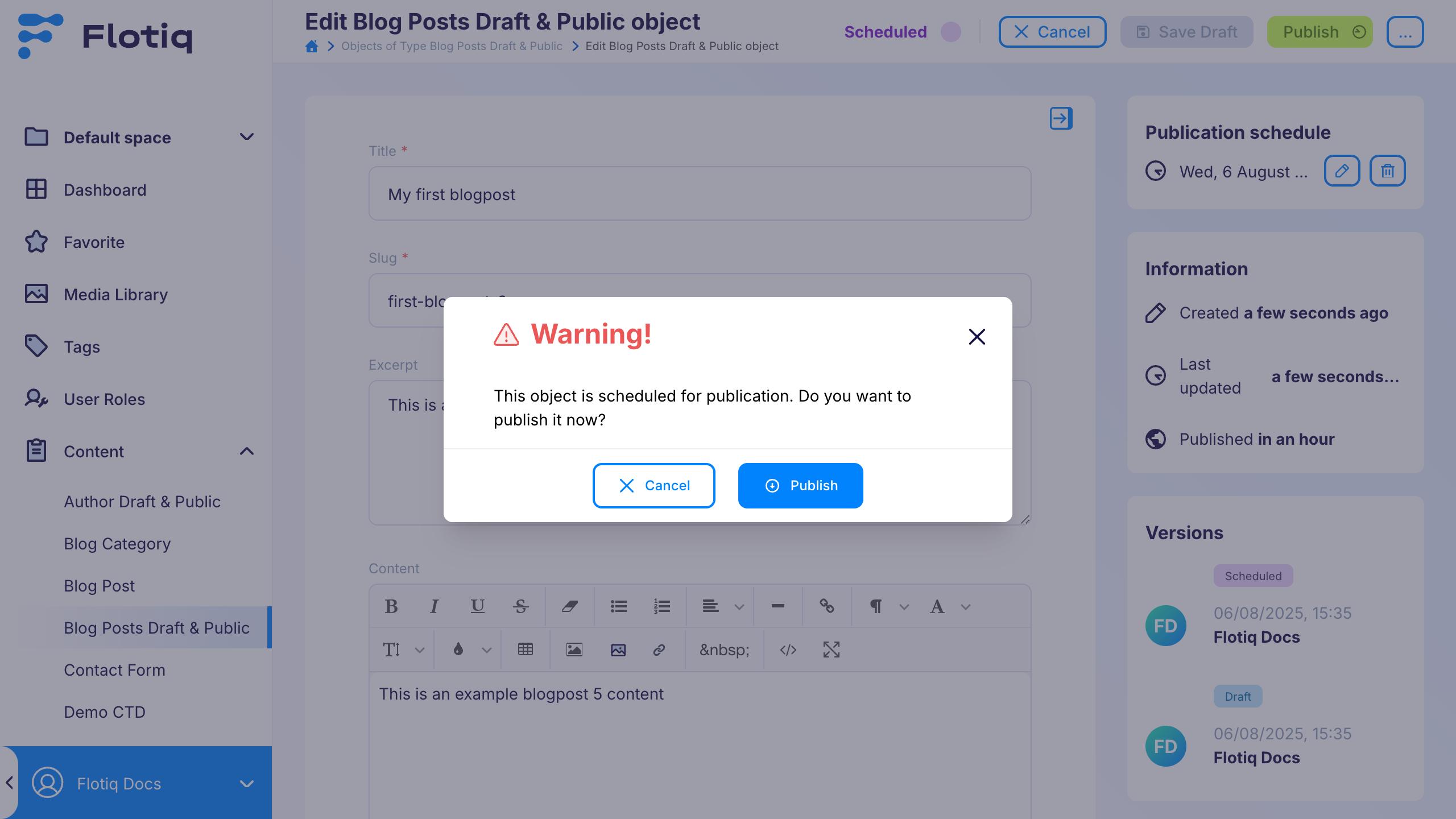
Clicking the Publish button on a scheduled object opens a modal indicating that the object is scheduled for future publication,
with an option to override the schedule and publish it immediately.