SSO
Active Directory Single Sign-On (Enterprise)
Note
SSO setup is usually performed by an Organization Admin with support from an IT identity administrator.
Overview
Active Directory Single Sign-On (AD SSO) allows users to access the application using their company credentials. This feature is available as part of the Enterprise offering and is designed for organizations that manage user identities centrally.
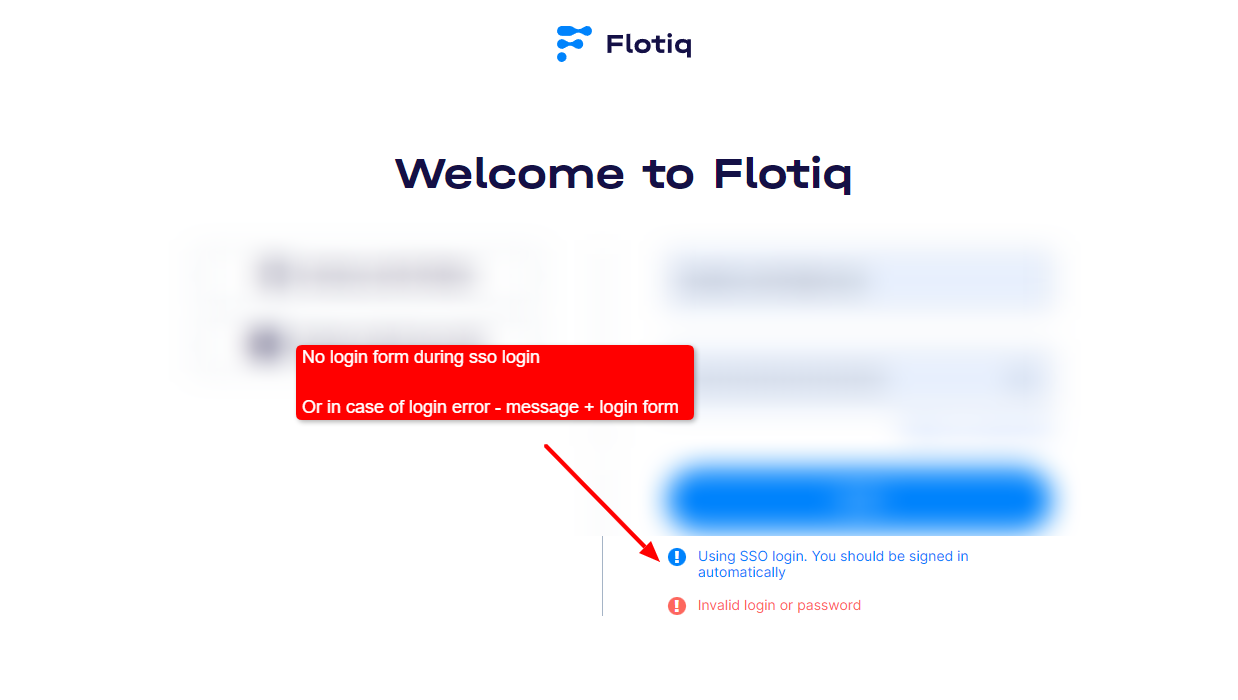
With AD SSO enabled, users are logged in automatically without entering a username and password.
Prerequisites
- Enterprise plan with SSO support
- Organization identity system configured by IT (for example Active Directory)
- Matching user identifier between Flotiq and your identity system
- Admin access to Flotiq organization settings
How It Works
When a user opens the application, the system checks their identity provided by the organization’s authentication system. If the user is recognized, access is granted immediately.
If the user cannot be authenticated through SSO, they can still log in using the standard login form.
Setup sequence
- Confirm prerequisites with your IT team.
- Configure SSO settings in your organization setup.
- Verify user identifier mapping.
- Test login with a pilot admin account.
- Roll out to other users.
Key Benefits
- Seamless login experience without passwords
- Centralized user management handled by your organization
- Increased security through trusted identity providers
- Reduced need for password resets and support
User Access
User access is based on a unique identifier assigned to each user. This identifier must match the one provided by the organization’s identity system.
Behavior
- Users are automatically logged in when accessing the application
- No login form is shown when authentication is successful
- If authentication fails, a standard login option is available
Fallback behavior
Keep at least one administrator account tested with standard login during rollout. This helps maintain access if SSO mapping is misconfigured.
Use Cases
- Companies using Active Directory or similar identity systems
- Organizations that require centralized authentication
- Enterprise environments with strict security and access policies